

TL;DR →
- One-Sided Gaps have been renamed to "Adjacencies"
- Adjacencies now support "Min Lead Time" & "Max Lead Time"
- 🔓 Reminder: You access these rules in the Min Stays Setting
- You now have a Relative Adjustment option - e.g +/- 2 nights - to tie changes to your default setup
- You can now copy Adjacency rules from Portfolio Settings
- A new prioritization option lets you resolve rule conflicts
--
🔤 A Rename Worth Knowing: One-Sided Gaps → Adjacencies
"One-Sided Gaps" are now called Adjacencies. This name more accurately describes the function: targeting nights that sit directly next to a booking or a blocked period. You can still find these settings within the Min Stays menu.
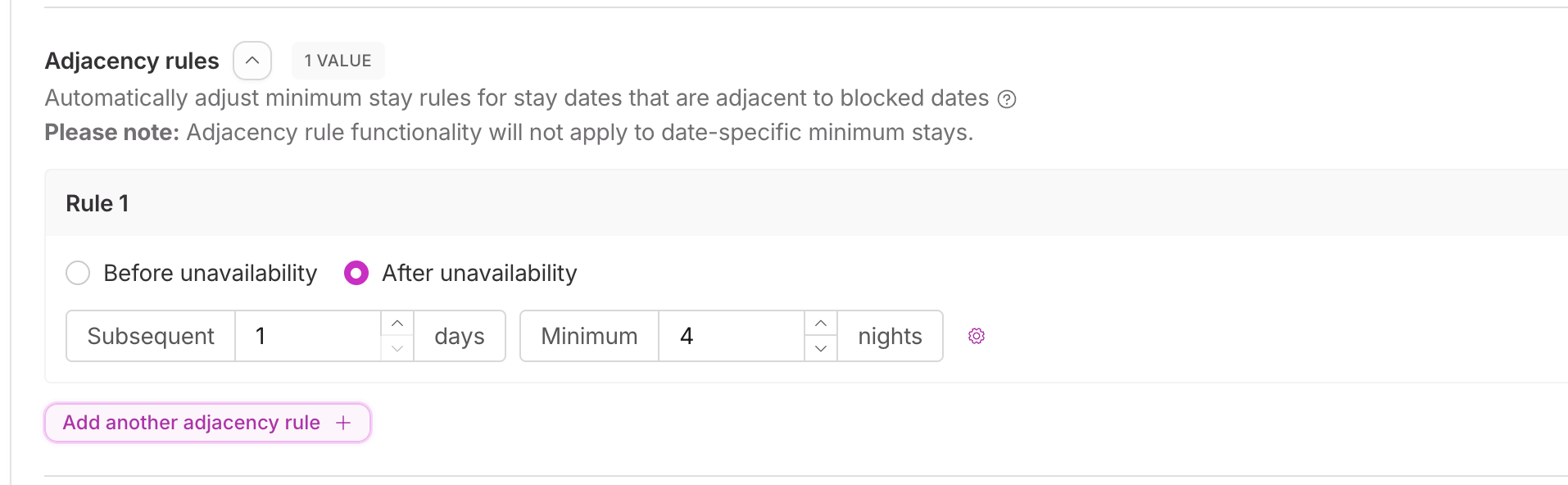
--
📽️ Video Tutorial
Kegan, our Head of Onboarding, made an exceptionally thorough walkthrough video here:
--
New: ⏱️ Lead Time Controls
Adjacency rules now feature Min and Max Lead Time logic. This allows you to trigger rules based on how close the stay date is to today.
Example: You can automatically drop a 3-night minimum to a 1-night minimum, but only if the gap is still unbooked within 7 days of arrival.
--
#New: 🛏️ Relative Min-Stay Adjustment

The system has moved from fixed stay requirements to Relative Adjustments. Instead of forcing a "2-night stay," you now adjust your base settings:
-1: Lowers your current min-stay by one night to fill a shoulder gap.
+2: Increases the requirement by two nights.
0: Maintains the status quo but allows the rule to function for lead-time or priority purposes.
Note: These adjustments respect your Absolute Min Stay floor; a rule will never push your requirements lower than your hard-coded minimum.
--
📋 New: Copy Adjacency Rules from Portfolio Settings
You can now copy Adjacency rules in bulk via Portfolio Settings > Minimum Stays. This is ideal for quickly rolling out a new shoulder-night strategy across an entire market.
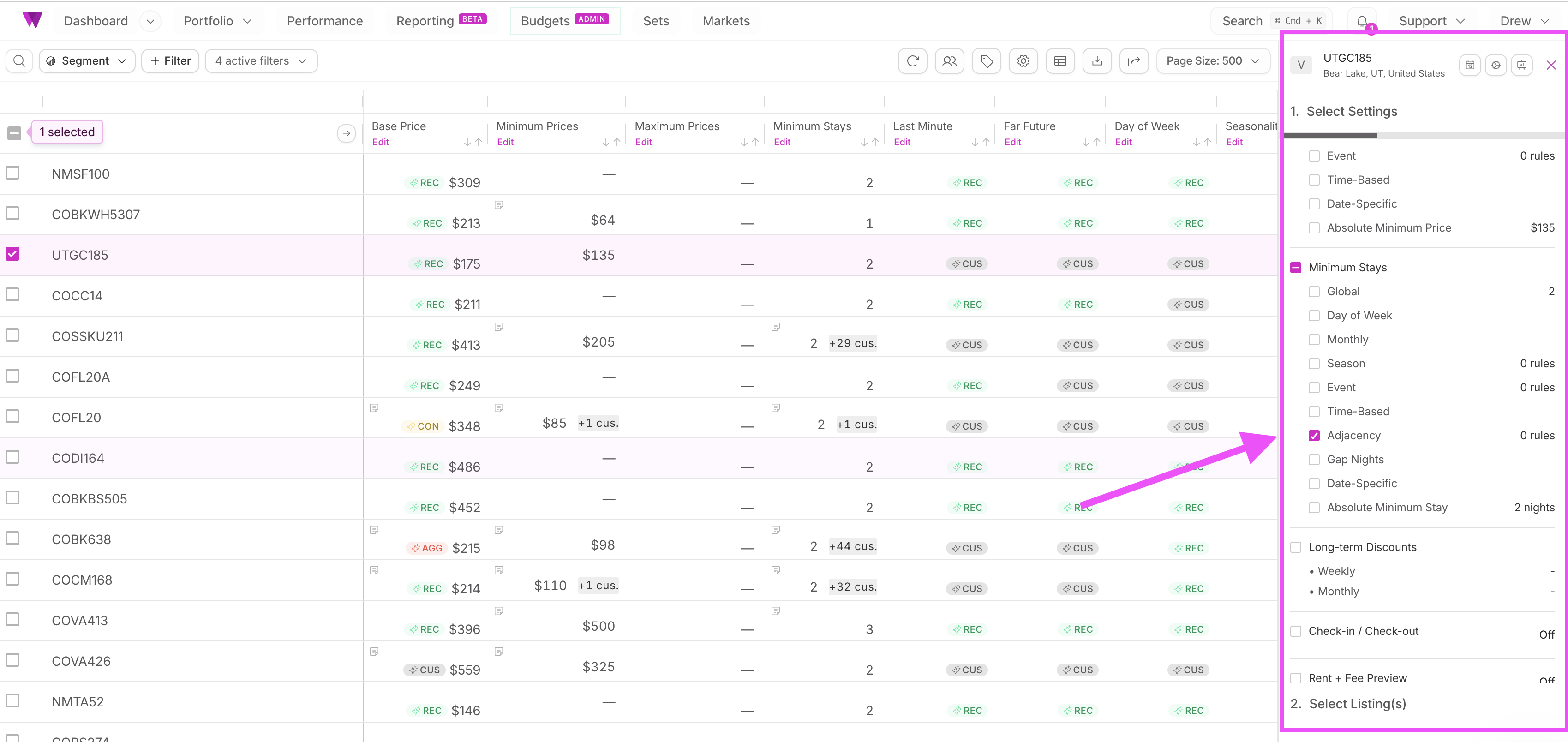
You'll find Adjacencies in the Portfolio Settings > Minimum Stays bulk and copy flows, right alongside Gap Night rules.
Select a source listing with a well-configured Adjacency setup, choose your target listings, and copy.
This is especially useful if you've been manually replicating rules listing by listing. Whether you're rolling out a new shoulder-night strategy across a market or onboarding a new property type, portfolio-level copy makes it fast and consistent.
--
🔢 Advanced Conflict Resolution
A new prioritization toggle, "Priority by Smallest Subsequent Days," allows you to resolve rule conflicts. When enabled, the system will prioritize the rule targeting the smallest window of time, regardless of whether that window falls before or after a booking.

--
🚀 Getting Started
Adjacencies are available now for all customers.
To get started:
- Head to Settings > Minimum Stays on any listing
- Find the Adjacencies section (formerly One-Sided Gaps)
- Add or update rules using the new Lead Time and Relative Adjustment fields
- To copy rules across listings, go to Portfolio Settings > Minimum Stays
--
💡 Pro Tip
To maximize occupancy, use Gap Night rules (for gaps between two bookings) in tandem with Adjacency rules (for shoulder nights next to one booking). Together, they ensure your calendar remains flexible and protected regardless of how bookings land.
--
📽️ Video Tutorial
This is a seemingly small - but very powerful - feature. In this case, we truly believe this video is worth 1,000 words!